Add your first expiration reminder in RenewalKit
Choose camera, Photos, Passport NFC, or manual entry, then review the saved details.
Written By Enrique Bonansea
Last updated About 6 hours ago
RenewalKit tracks expiration dates and schedules reminders. It does not renew a document or store a scanned image as a document vault.
- Open Documents and tap the plus button.
- Choose Camera, Photos, Passport NFC on a compatible iPhone, or Manual.
- Review the suggested title, document type, expiration date, and any other fields you choose to keep.
- Correct errors by comparing the record with the original document.
- Choose reminder timing and save.
Manual entry works when scanning is unavailable or recognition gets a field wrong. You do not need a RenewalKit account for the core record and reminder workflow.
The free app supports one active document. Additional capacity and Profiles are separate purchase options.
On screen
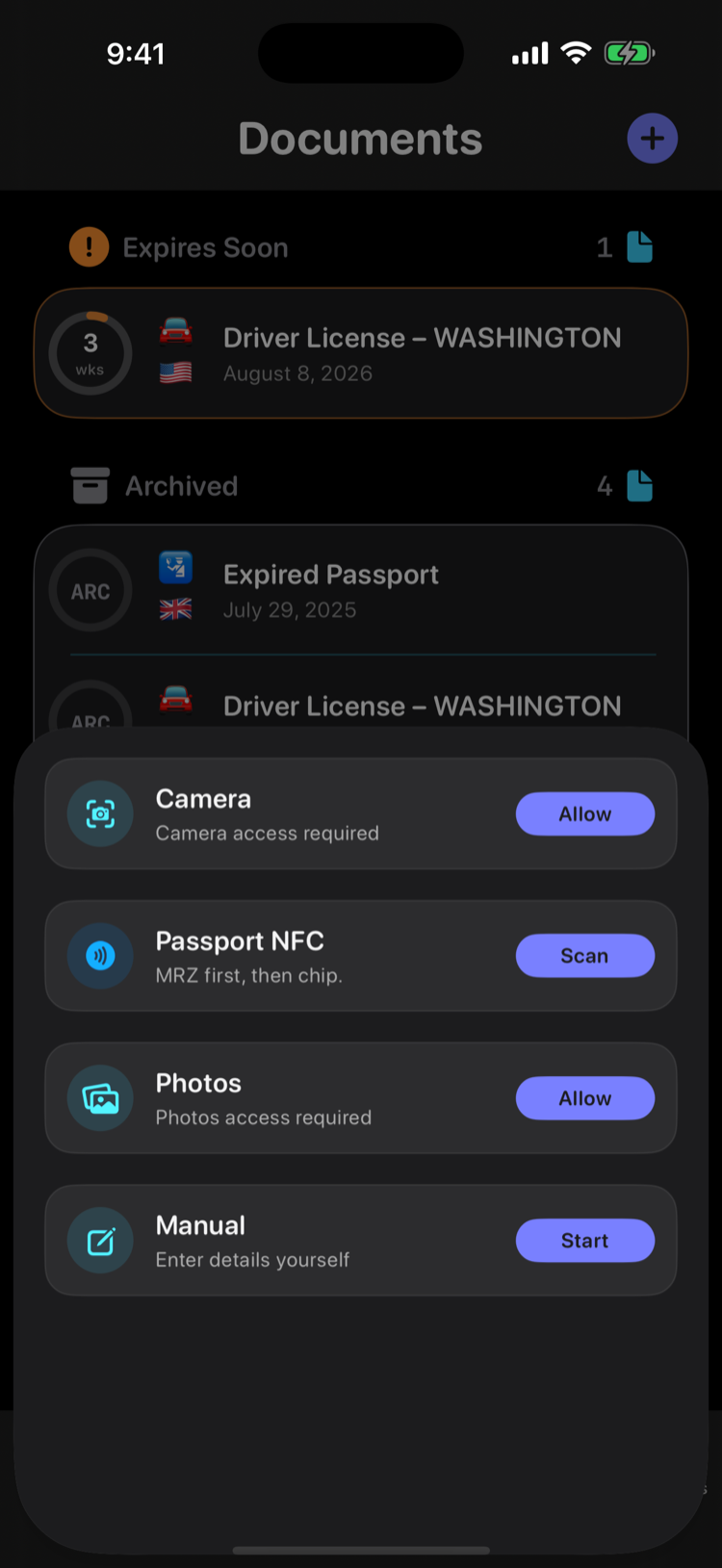
Example Add Document sheet with sample records behind it. Permission buttons appear when access has not yet been granted.
Still need help? Ask the team